
How Landscape Contractors Show Clients a Design Before Construction
Standing in a backyard describing a patio with your hands is a hard sell. Showing the same idea on their actual property, in minutes, changes the conversation.
By Renderspace
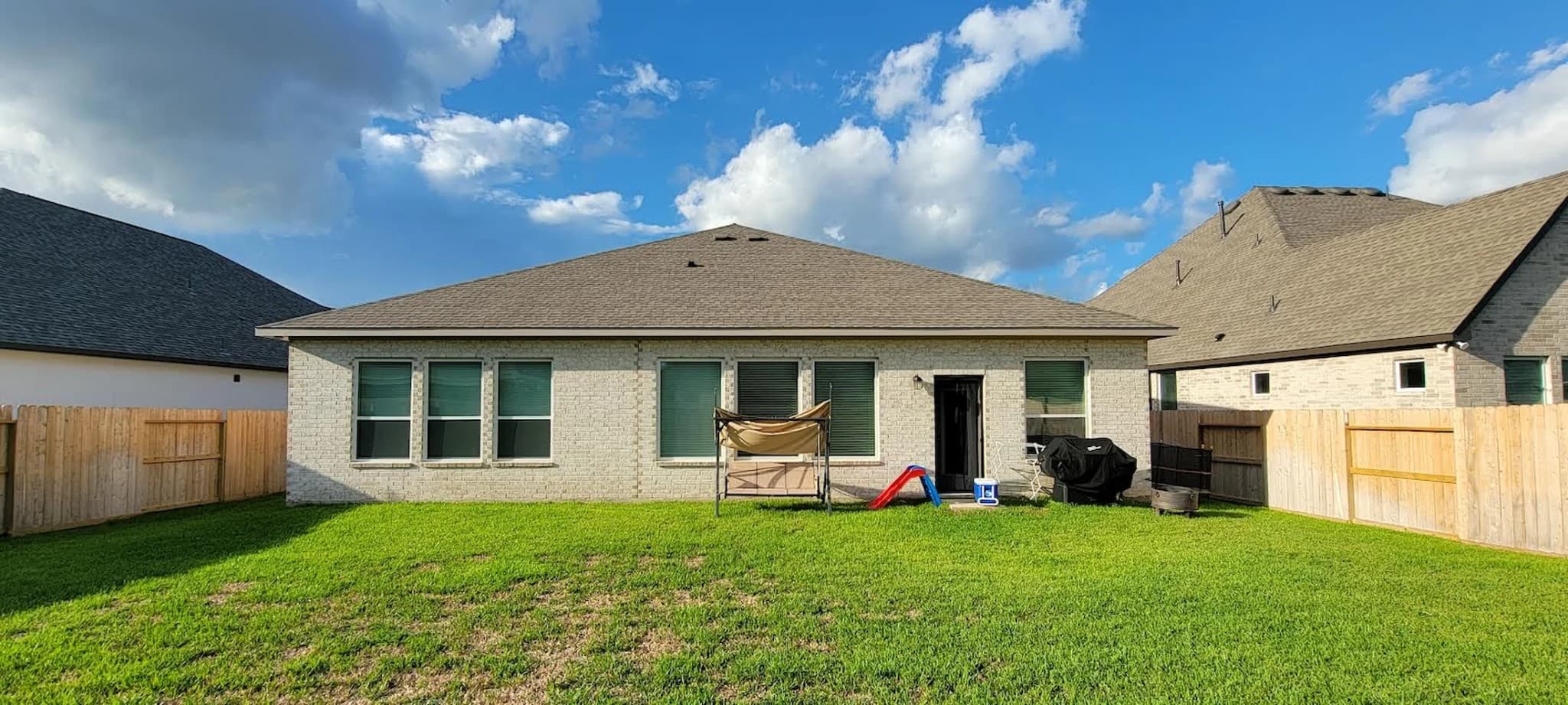
It's 4:15 on a Tuesday and you're standing in somebody's backyard.
The homeowner is next to you, arms crossed, looking at a patch of dead grass and a tired fence like it's supposed to mean something to her. You know exactly what this yard could become. You've built dozens like it. She sees dead grass and a tired fence.
So you start talking. "Picture a paver patio right here, maybe a fire pit over there, some layered planting along the back fence..."
She nods. Politely. The way people nod when they're being sold something they can't picture.
For years, the fix was expensive and slow — hire a designer, wait, come back with a rendering that cost real margin before you'd signed the job. Many contractors skipped it. They talked fast, sketched on a napkin, and hoped the client could follow along.
That is not the only option anymore.
Showing instead of describing
Renderspace is built for that moment in the yard. You take a photo of the actual space — the real grass, the real fence, the real house behind it — and in seconds you can show a photorealistic concept of what it could become. Not a generic stock backyard. This backyard, with the patio, fire pit, and planting you were just describing with your hands.
The homeowner is not just nodding anymore. She is leaning in. She is asking about paver color. She is picturing her kids out there in June.
That is a different conversation than the one you were having a moment ago.
What changes — and what does not
Homeowners are generally better at reacting to what they see than imagining change from a verbal description. That is why before-and-after photos work. The old bottleneck was not willingness to buy. It was the time and cost between "I have an idea" and "you can see the idea."
When that gap shrinks to minutes — typically within about a minute for a first concept — the sales conversation shifts. You are no longer asking the client to trust your description alone. You are asking them to react to something on your phone screen, standing in their own yard.
Does that always change how a bid ends? No. Price, timing, and trust still matter. Some clients need a night to think regardless. But contractors who use on-site visualization often report that clients engage differently once they can see direction instead of trying to assemble it in their head.
Angel R, Project Manager at Texas Backyard Kings:
"I've been able to double last years deal flow by showing customers concepts for their project on site rather than the back and forth with our in house design team. We've saved hours of rework and on track to add 50% revenue"
That is one contractor's experience, not a universal benchmark. It does illustrate what becomes possible when alignment happens before you invest serious design and estimating time.
A workflow you can run while the client is still there
The practical sequence is simple:
- Photograph the real site — same angle you would use to explain the layout.
- Upload and choose the space type — landscape, exterior, or the category that fits the job.
- Adjust style and key variables — hardscape material, planting density, layout direction based on what you already discussed.
- Show two or three directions — side by side, on-site, before you leave.
This is concept exploration, not construction documentation. You are not pulling permit drawings from a photo upload. You are getting the client aligned on direction before you spend hours on a design they were never going to approve.
For a deeper look at what AI landscape tools handle well — and where they stop — read AI Landscape Design Software for Contractors: What It Does Well—and What It Doesn't.
Where this fits in your process
Use on-site visualization at the estimate or walk-through, when direction is still open. Use detailed design, engineering, and permitting the way you always have, with the professionals who do that work.
If you want to test the workflow on a real job before changing how you sell, the First Job Test is $19.99 for 40 credits over 7 days — enough to run this sequence on live estimates. Ongoing self-serve plans include Professional at $99/month (500 credits) and Business at $349/month (6000 credits) when you are ready to scale volume.
The contractors who make clients feel certain early — not by overselling, but by making direction visible — tend to spend less time chasing "let me think about it" follow-ups for jobs that were never fully pictured in the first place.
Related reading
- AI Landscape Design Software for Contractors: What It Does Well—and What It Doesn't
AI landscape tools are fast at concepts from real photos. They are not site plans, engineered drawings, or permit packages. Here is how to evaluate the category without wasting an afternoon.
- Hardscape Visualization: Turn a Job-Site Photo Into a Client-Ready Concept
Hardscape sells on permanence, which makes it hard to sell with words alone. A photo-to-concept workflow on-site closes the picturing gap without replacing engineering.