
AI Landscape Design Software for Contractors: What It Does Well—and What It Doesn't
AI landscape tools are fast at concepts from real photos. They are not site plans, engineered drawings, or permit packages. Here is how to evaluate the category without wasting an afternoon.
By Renderspace
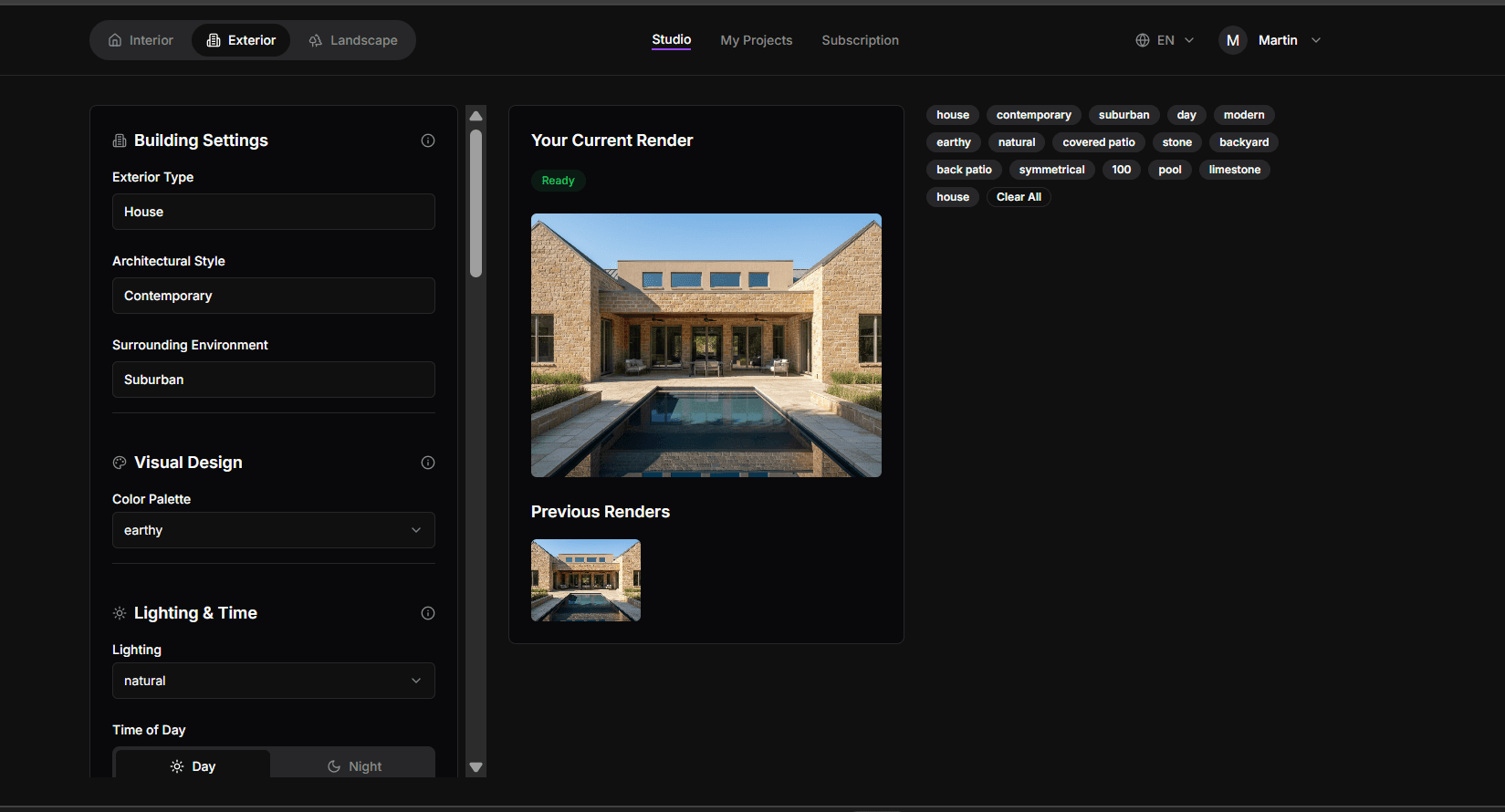
You have probably seen ads for "AI landscape design" software — upload a photo, get a finished yard, close the deal before you leave the driveway. Some of that is directionally true. Some of it is marketing compressing a narrower product into a bigger promise.
You are a contractor, not a hobbyist. You do not have time to test six apps to learn which claims hold up. This article is a straight evaluation framework: what the category is genuinely good at, what it is not, and how to tell the difference before you commit.
What AI landscape software does well
Concept speed from real photos. The core value is unglamorous and extremely practical. You photograph an actual job site — not a stock image — and get a photorealistic concept of what that specific space could look like. Paver patio, fire pit, layered planting, outdoor structure — whatever direction the conversation is already heading. Renderspace generates concepts in seconds; full-resolution output is typically available in minutes.
On-site decision support. Homeowners struggle to imagine transformation from a verbal description. They react well to something they can see. Software in this category earns its keep when it is fast enough to use while you are still standing in the yard with the client — which is the workflow described in How Landscape Contractors Show Clients a Design Before Construction.
Low-cost iteration. Showing three material directions instead of one used to mean three billable revisions from a designer. In self-serve tools, it means generating additional concepts from the same photo. That changes how many options you are willing to show before a client commits to direction.
What it does not replace
This section matters more than the first, because this is where trust either survives or breaks.
Not construction documentation. A photorealistic concept render is not a site plan, engineered drawing, or permit submission. If a client needs materials that go to an HOA board or permitting office, that is a different deliverable — produced and reviewed by people, scoped before you pay.
Not design expertise on the ground. The software helps you show direction fast. It does not know your local plant zones, the client's actual budget ceiling, or the drainage issue you noticed walking the site. That is still you.
Not a finished art department on every pass. AI-generated concepts are exploration tools. Sometimes the first pass needs adjustment — a material reads wrong, a proportion feels off. Treat the output like a fast sketchpad, not a vending machine for perfect images on attempt one.
Not architecture, engineering, or stamped plans. No AI landscape app — including Renderspace — should be described as providing architecture, engineering, permits, or stamped plans. Visualization supports early alignment and client presentation. Structural, code, and permit work stays with the appropriate professionals.
When Human Polish fits instead of self-serve
Every contractor eventually hits a project where a quick concept is not the whole deliverable — a large backyard renovation, an HOA submission package, a client who needs presentation-grade materials rather than a fast on-site pass.
Human Polish is Renderspace's production layer for that gap:
| Package | Price | Delivery target |
|---|---|---|
| 25 concepts | $399 ($349 first 25-pack purchase) | 24–48 hours |
| 50 concepts | $699 | 48–72 hours |
| 100 concepts | $1,199 | 3–5 business days |
Human Polish covers visualization, presentation support, and HOA-oriented presentation materials — not architecture, engineering, permits, or stamped plans.
For presentation packages built from an approved direction, Build-Ready Essentials 2D is $599 (3–5 business days) and Essentials 3D is $899 (5–10 business days). Scope is reviewed before you pay; production starts only after approval. These packages support client and design-review presentations. They are not permit documentation or construction documents.
Three questions to evaluate any tool
Ignore the word "AI" in the marketing. Ask:
- Does it work from a real photo of the actual job site? Generic stock-style images that do not match the property undermine trust immediately.
- Is it fast enough for live estimates? If you have to return to the office and come back later, you lose the on-site moment where direction gets decided.
- Does the vendor draw a clear line between concept exploration and production deliverables? Tools that blur those lines create clients who assume more accuracy than a fast pass can provide.
If a product passes all three with honest answers, it is probably worth a real-job test. If it cannot answer clearly, that usually is the answer.
Try it on your own site
The First Job Test is $19.99 for 40 credits over 7 days — enough to run concepts from your own photos, not a demo reel. For hardscape-specific workflow detail, see Hardscape Visualization: Turn a Job-Site Photo Into a Client-Ready Concept.
When volume justifies it, Professional ($99/month, 500 credits) and Business ($349/month, 6000 credits) support ongoing self-serve use across your estimate calendar.
Related reading
- How Landscape Contractors Show Clients a Design Before Construction
Standing in a backyard describing a patio with your hands is a hard sell. Showing the same idea on their actual property, in minutes, changes the conversation.
- Hardscape Visualization: Turn a Job-Site Photo Into a Client-Ready Concept
Hardscape sells on permanence, which makes it hard to sell with words alone. A photo-to-concept workflow on-site closes the picturing gap without replacing engineering.
- AI Rendering vs. Traditional Rendering Services for Contractors
A contractor-focused comparison of AI self-serve, Human Polish production, and traditional rendering studios across the workflow dimensions that actually matter.