
Artificial Turf Design From a Photo: Beat 'Looks Fake'
How turf installers show artificial turf, borders and planting on the client's own yard before the sale, and how to use the concept on the visit.
By KeSean Fallon
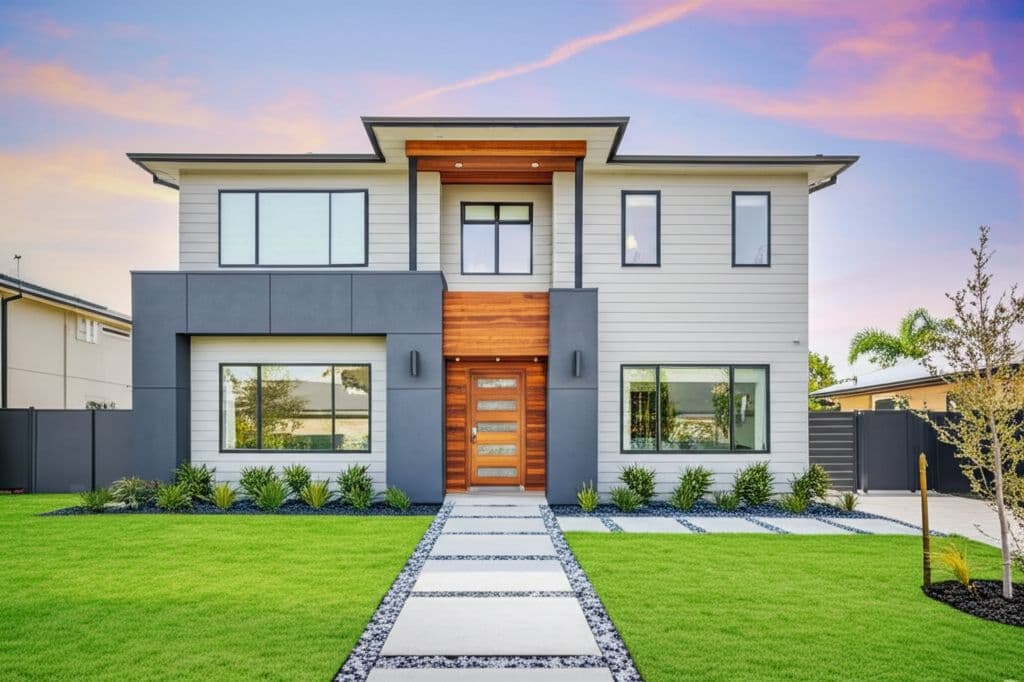
Artificial turf design from a photo means showing a homeowner their own yard with synthetic grass installed before they sign. For turf installers, it answers a question that stalls many turf sales: "Will it look fake?"
Turf is an easy sell on paper. Less mowing, less watering, no mud. But the homeowner has seen bad turf: shiny, flat, too green, wall to wall with nothing around it. That image is what they are pricing against.
I think the biggest challenge with artificial turf is that homeowners already have a mental picture of what they don't want. They've seen those bright green lawns that look more like outdoor carpet than grass, and they're understandably skeptical. You can explain pile height, blade shape and color variation all afternoon, but that doesn't tell them how the finished yard will look. I'd rather start with the entire landscape, showing how turf fits alongside natural stone, planting beds and the home's existing architecture.
Why do homeowners hesitate on artificial turf?
Three worries come up again and again:
- It will look fake. They picture the bright plastic green they saw at a mini golf course.
- It will look like a carpet. Turf edge to edge with no planting, no borders, no shade.
- They can't take it back. Unlike a lawn that grows back, turf is a big, visible decision they will live with for years.
Samples help with the first worry. A turf sample in their hand shows the blade, the color and the feel. It does not show what that turf looks like across their whole yard, next to their house, with their trees and their fence.
What does a turf design from a photo show the client?
It shows the finished yard, not just the turf. You take a phone photo from the back door or the patio, and an AI rendering tool generates a photorealistic concept of that same yard with turf installed in about 30 seconds.
That is where the "carpet" worry goes away. The concept can show turf with stone borders, planting beds, a gravel strip along the fence, pavers or a play area. The client sees a designed yard, not a green rectangle. Good turf jobs are rarely only turf, and the concept is your chance to show that. If the client is also weighing a full lawn conversion, see xeriscape design from a photo.
Keep the planting realistic for the region. A turf yard in Phoenix should be framed by desert-adapted plants, not tropical ones.
I wouldn't sell turf as a green rectangle priced by the square foot. That's a commodity conversation, and somebody will always offer a cheaper number. Sell the finished outdoor space instead. A well-designed turf installation needs thoughtful borders, natural transitions and landscaping that complements the house. With Renderspace, you can prompt for specific details like limestone edging, decomposed granite pathways, Texas sage or ornamental grasses. The turf should feel like part of the landscape, not something rolled out over it.
How do you use the concept during the sales visit?
- Photograph the yard while you measure. Stand where the family actually looks at the yard: the back door, the kitchen window or the patio.
- Show the full design first. Turf plus borders, beds and any hardscape.
- Then let them change one thing. In Renderspace, settings carry over between renders, so when the client asks for more planting, a putting green corner or a different border stone, you change only that and show it again.
- Hand them the sample after. Now the sample confirms the picture instead of carrying the whole sale.
It is a concept, not a layout drawing. Square footage, base prep and drainage still come from your measurements and your normal process.
When someone asks whether artificial turf will look fake, I wouldn't promise that every product looks natural. I'd show them how the right color, blade variation and surrounding landscape affect the result. Then I'd compare a concept with exposed turf edges against one with limestone borders and planted beds. Let the visual explain why the design matters as much as the turf itself.
Does this help with HOA or spouse approval?
Often the person you meet is not the only one deciding. A concept of their own yard is easy to text to a spouse or attach to an HOA request, and it explains the job far better than a quote and a product spec sheet. For what review boards usually want to see, read can you use AI renderings for HOA approval.
What this looks like on a real job
Here's how I'd approach the next artificial turf consultation with Renderspace. Say the homeowner has a patchy backyard, a concrete patio and a narrow strip of grass along the fence. They want less maintenance but aren't convinced artificial turf will look natural.
I'd photograph the yard from the patio and generate a concept using realistic, muted-green turf with natural limestone edging and planting beds along the fence. Then I'd use Renderspace's custom prompts to explore specific additions: ornamental grasses, Texas sage, a decomposed granite walkway or large-format stepping stones.
If the homeowner wants a putting green or more room for the dog, I'd generate another variation. The goal is to make those choices visible before anyone commits to the installation.
Once they like the direction, I'd bring out physical turf samples and discuss drainage, base preparation and actual product specifications.
Frequently asked questions
Can a rendering show what a specific turf product looks like?
A concept shows the overall look of turf in the client's yard, not an exact match of one product's blade or color. Use the concept for the design and the physical sample for the product choice.
What photo works best for a turf concept?
A phone photo from where the family usually looks at the yard, in even daylight, with the whole area in frame. Renderspace works from a phone photo.
Can I show turf with pavers, planting beds or a putting green?
Yes. The concept can show the whole yard design, including borders, beds and hardscape, so the client sees a finished yard rather than turf alone.
Can I use the concepts in my marketing?
Yes. Every paid Renderspace plan allows renders in proposals, on your website, on social and in ads. Reselling the images is not allowed. See examples in the Renderspace gallery.
"Will it look fake?" is a question you can answer in 30 seconds
Stand in the client's backyard for a second. Patchy grass, a dog run worn into the side, a sprinkler head that never works. They want turf. They are also quietly sure it will look cheap, and every competitor so far has answered that fear with a sample and a price per square foot.
You answer it differently. One photo from the back door. About 30 seconds later they are looking at their own yard finished: soft green turf, a clean stone border, planting along the fence, the patio they already have. They ask about a little more planting and you show it. They stop asking whether it will look fake, because they are looking at it.
That is how fast, photorealistic concepts help you win bids faster. The homeowner commits sooner when they have already seen their own yard done, and you are the contractor who showed it to them.
I built Renderspace because I believe a contractor's presentation should communicate more than materials and square footage. Turf is a perfect example. The homeowner isn't buying synthetic grass in isolation; they're buying a better backyard. Show them that complete vision, let them explore specific materials and landscaping details, and give them something meaningful to compare against the price.
Try it on your next turf estimate. The Intro Plan is $19.99 a week for 40 credits (renews weekly until you cancel), and it works from a phone photo. Every plan is on the pricing page.
Prefer to have the concepts made for you? Human Polish render packs handle it.
Related reading
- Xeriscape Design From a Photo: Sell the Lawn Conversion
How to sell a turf-to-xeriscape conversion by showing homeowners their own yard without the lawn, finished, before you quote, plus how rebates and HOA approvals fit in.
- Visual Proposals for Homeowners: Show the Finished Job
What a visual proposal is, why homeowners sign sooner when they can see the finished job, and how to build one from a site photo step by step.
- Can You Use AI Renderings for HOA Approval?
What HOA boards usually ask for, where a photorealistic rendering helps the review, and why it supports the site plan instead of replacing it.
- AI Landscape Design Software for Contractors: What It Does Well—and What It Doesn't
AI landscape tools are fast at concepts from real photos. They are not site plans, engineered drawings, or permit packages. Here is how to evaluate the category without wasting an afternoon.