
Can You Use AI Renderings for HOA Approval?
What HOA boards usually ask for, where a photorealistic rendering helps the review, and why it supports the site plan instead of replacing it.
By KeSean Fallon
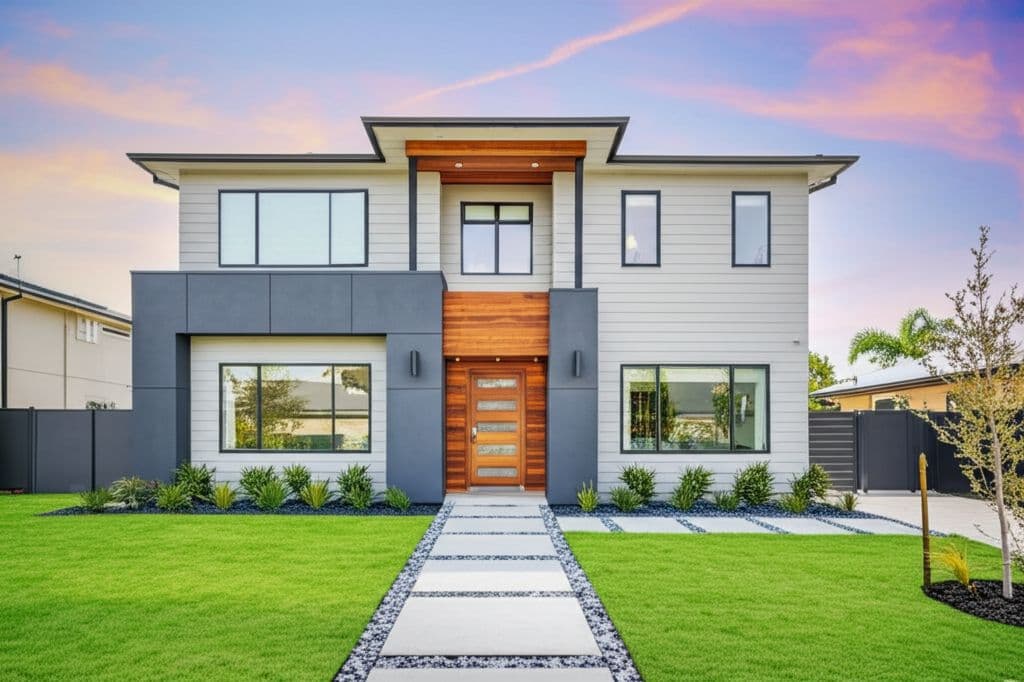
You can use AI renderings in an HOA approval request, but usually as a supporting visual, not as the submission itself. Most architectural review boards ask for a scaled site plan, a planting plan and material specs, and a photorealistic rendering helps the board and the neighbors see what those documents mean on the real property.
The rendering does not replace the paperwork. It makes the paperwork easier to say yes to.
An HOA application can look perfectly reasonable on paper and still leave the architectural review committee with questions. A homeowner wants to replace an overgrown front yard with new planting beds, stone edging and a paved walkway. The site plan shows where everything goes, but will the finished landscape complement the neighborhood? Will the new materials clash with the house? How much of the existing lawn disappears? These are visual questions, and even a carefully prepared drawing may not answer them clearly. A realistic before-and-after concept gives everyone a common reference.
Can AI renderings be used for HOA approval?
Yes, as long as you are clear about what they are. Every association writes its own rules, so always read the guidelines first. In general:
- Renderings are often welcome. Landscape software company iScape recommends before-and-after visuals to show the street-facing impact of a change.
- Renderings are rarely enough on their own. The same guide lists a scaled site plan, a planting plan, material spec sheets and color samples, and labeled photos of existing conditions as typical items.
- A rendering is a concept. It shows the look and the direction. It is not a dimensioned plan, a permit set or a stamped drawing, and it should never be presented as one.
What do HOA boards usually ask for?
Requirements vary, but a typical landscape or exterior change application includes:
- A site plan showing property lines, setbacks, existing and proposed structures, and where beds, walls, patios and fences go.
- A planting plan with species, quantities and sizes, when plants are part of the work.
- Materials: pavers, wall block, edging, rock, lighting, with spec sheets or color samples.
- Photos of existing conditions, labeled.
- Contractor details, schedule or insurance if the board asks.
Where a rendering fits: next to the site plan and the existing-condition photos, showing the same view finished.
For a full checklist, see HOA landscape presentation packages: what to include for design review.
Why does a rendering help an HOA review?
Board members are volunteers looking at a stack of applications. Many of them cannot read a site plan quickly, and they are thinking about one thing: how will this look from the street and from the neighbors' yards?
A photorealistic rendering of the actual property answers that in a glance. It is the same reason it pays to show landscape clients the design before construction. It also gives the homeowner confidence going in, because they have already seen and approved the look.
I think contractors sometimes treat HOA approval as an administrative hurdle instead of part of the design process. That's a mistake. You can have a beautiful concept, but if the materials don't match the submitted specifications or the board can't understand the changes, you've created unnecessary questions. Get familiar with the guidelines early. Use Renderspace's custom prompts to specify the actual paver colors, stone finishes, planting styles and exterior details being proposed. Then make sure the visualization supports the plans rather than contradicting them.
How do you make an HOA-friendly rendering?
- Shoot the photo from the street view the board cares about, and a second from the backyard if the change is visible from neighbors' lots.
- Match the rendering to the materials you are submitting. If the spec sheet says a gray paver, the concept should show a gray paver.
- Show two compliant options if the guidelines are tight, so the board can choose instead of reject.
- Label it honestly: "Concept rendering for visualization. Final dimensions per site plan."
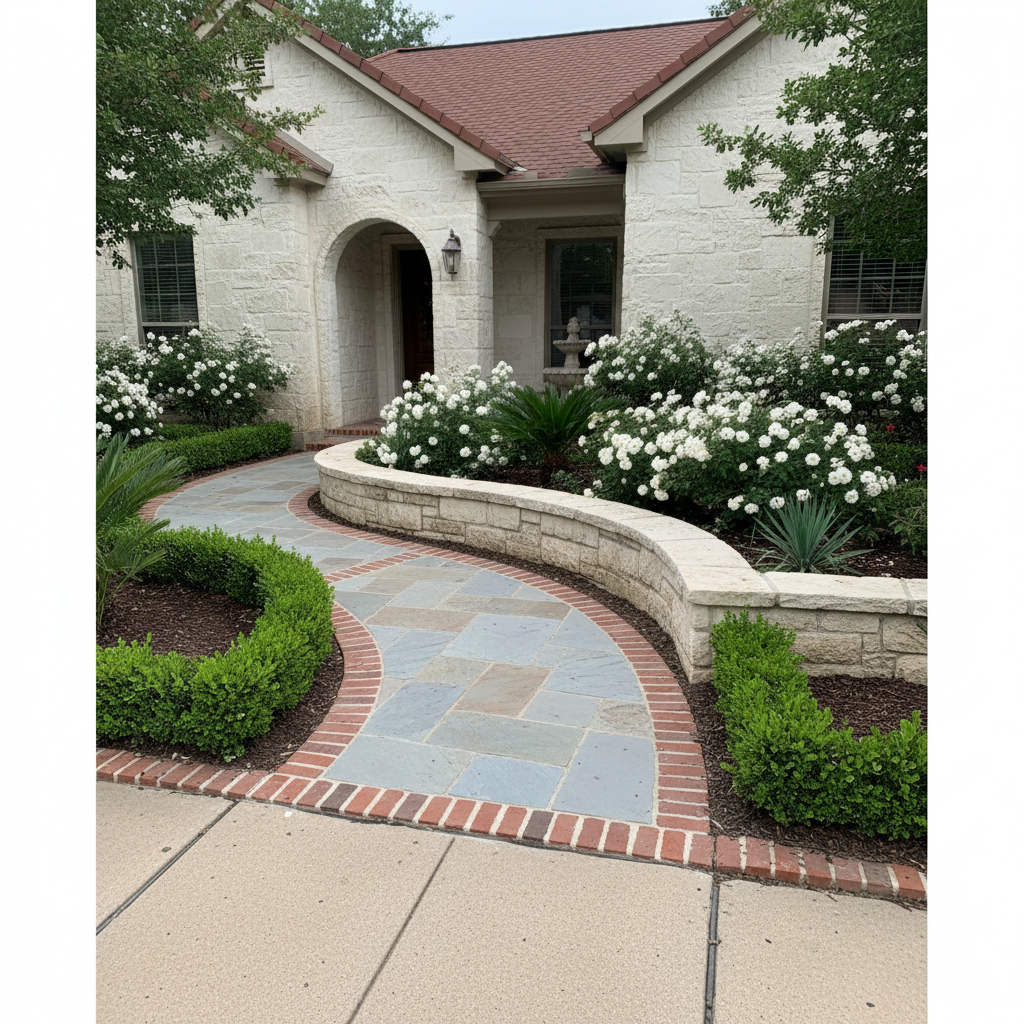
See this concept in the Renderspace gallery
For house-facing changes like siding or paint, see exterior renovation visualization for contractors, and browse more street-view concepts in the gallery.
With Renderspace, a concept typically comes back in about 30 seconds from a phone photo, and settings carry over, so you can change one material at a time to match the spec sheet. Renders export in 4K for a clean printout.
If you would rather have a set of concepts made for you, Human Polish render packs and Build-Ready Essentials 2D or 3D plans are available for presentation and layout. They are visualization only, not permit or construction drawings.
What this looks like on a real job
Consider a front-yard renovation in a neighborhood with architectural restrictions. The homeowner wants to replace an aging walkway, install stone-bordered planting beds and add landscape lighting. Before submitting anything, the contractor would need to review the association's guidelines and prepare the required site plan, planting information and material specifications.
A rendering can supplement those documents by showing the proposed improvements on a photograph of the actual house. Using Renderspace, the contractor could specify charcoal-gray pavers, limestone edging, low boxwood hedges and warm pathway lighting through custom prompts.
Suppose the approved material palette only allows lighter stone. The contractor can revise the concept to show beige limestone or another permitted finish without rebuilding an entire 3D scene. The resulting image should then be checked against the actual product specifications and proposed plans.
The board still makes its decision according to its own requirements. But a coordinated visual and drawing package gives reviewers a clearer understanding of the proposed changes and fewer reasons to request clarification.
Frequently asked questions
Will an HOA accept an AI rendering instead of a site plan?
Usually not. Most boards want a scaled site plan and material details. Use the rendering alongside those documents to show what the finished change will look like.
Do I have to tell the board the rendering is AI-generated?
Check your association's rules. In any case, label it as a concept rendering for visualization, so nobody mistakes it for a construction drawing.
Can a rendering speed up HOA approval?
A clear visual can reduce back-and-forth because the board sees the result instead of imagining it. Approval timing still depends on the board's schedule and whether the application is complete.
I think HOA submissions should be easier for everyone involved. Contractors already have enough to coordinate without spending days explaining what a proposed landscape will look like. That's part of why Renderspace emphasizes speed and flexible prompting. A homeowner should be able to visualize specific materials and design choices before those details become another source of confusion during review.
Walk into the review with the yard already finished
Picture your client's next board meeting. Instead of a site plan the members squint at, they see the house from the street with the new patio, the low wall and the plantings already there. Same driveway, same mailbox, same neighbors' fence. The question in the room changes from "what is this going to look like" to "looks good, any issues with the setback?"
That same picture works on the homeowner first. When they see their own space finished before the quote, they commit sooner. Fast photorealistic concepts help contractors win bids faster, and they make the paperwork that follows easier to explain.
You can try it on one real job for very little. The First Job Test is $19.99 for 40 credits over 7 days, and it works from a phone photo you take on the visit.
For a set of finished concepts made for you, look at Human Polish.
Related reading
- HOA Landscape Presentation Packages: What to Include for Design Review
A practical checklist for HOA and design-review submissions, with clear scope on what presentation packages include — and what approval authority remains with the association.
- How Landscape Contractors Show Clients a Design Before Construction
Standing in a backyard describing a patio with your hands is a hard sell. Showing the same idea on their actual property, in minutes, changes the conversation.
- Exterior Renovation Visualization: Show Clients the Concept Before Construction
Exterior renovations are hard to sell from swatches alone — photo-based concepts can help clients understand and react to the proposed direction on their own house.