
ChatGPT vs an AI Rendering Tool for Contractors
Where ChatGPT images help, where they fall short on a client's real yard, and why contractors use a purpose-built rendering tool when the picture has to sell the job.
By KeSean Fallon
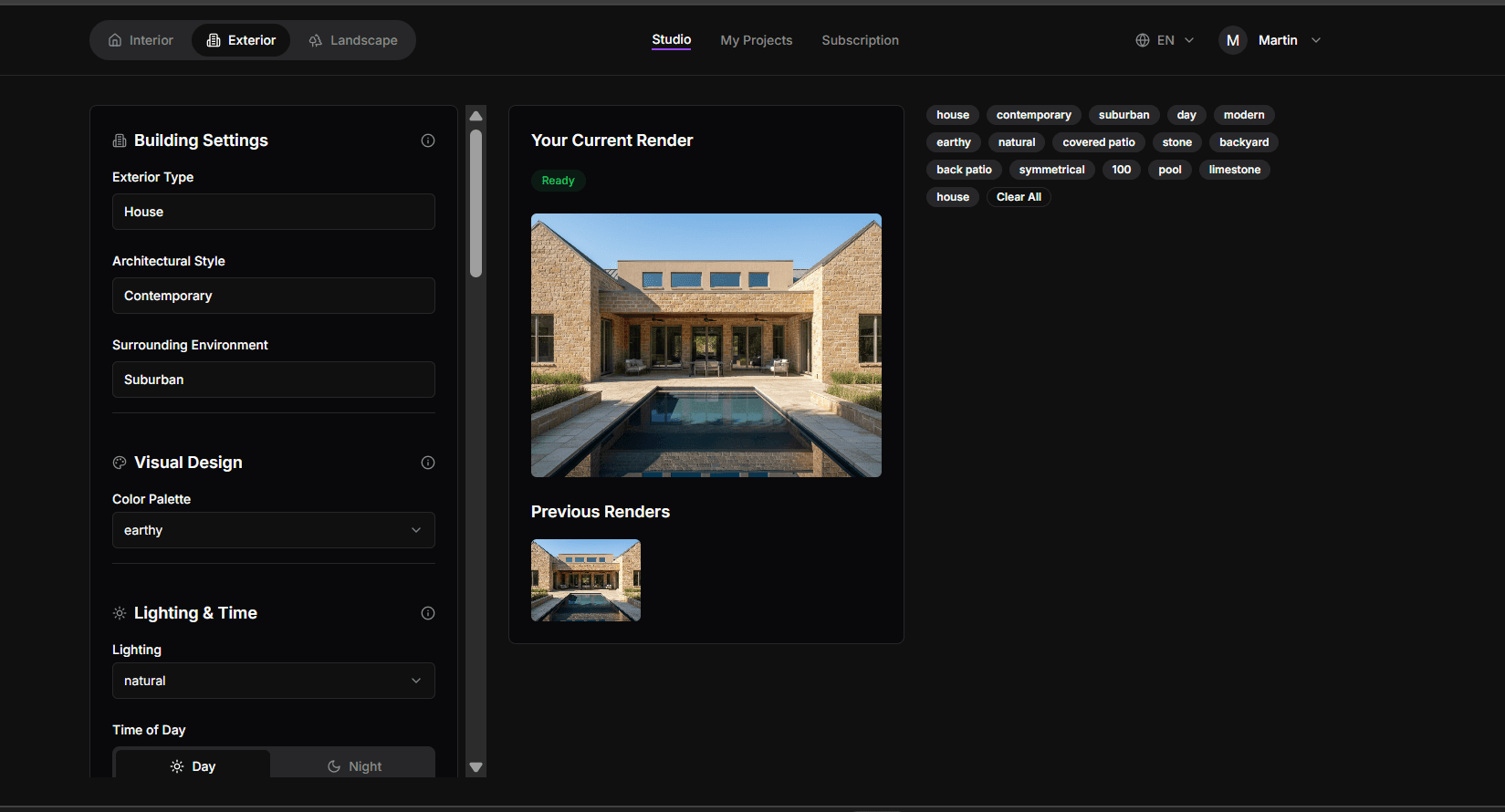
ChatGPT can turn a backyard photo into an attractive idea image, but it is built for exploring ideas, not for showing a client their exact yard with one change at a time. A purpose-built rendering tool for contractors starts from the job-site photo, keeps the property recognizable, and lets you adjust a single element while the rest of the concept stays put.
That difference matters most in the one place a contractor needs it: standing in front of a homeowner who is deciding whether to sign.
It's easy to see why contractors would try ChatGPT for renderings. Upload a backyard photo, ask for a limestone patio with a cedar pergola, and you might get an impressive image. But there's a difference between a beautiful concept and a useful sales presentation. What happens when the homeowner likes the patio but wants the pergola moved? Or notices that a window has disappeared? Suddenly, you're spending the meeting correcting details instead of discussing the project. That's the problem I wanted Renderspace to address: giving contractors more control over what they're actually showing.
Can ChatGPT make renderings for clients?
It can make images. Upload a photo, describe a patio or a pool, and you will often get something that looks good at first glance. For brainstorming, mood boards or "what if" ideas, that can be useful.
The trouble starts when the image has to stand in for a real project on a real property. Rendair, which builds rendering tools for designers, reviewed GPT Image 1 for landscape work and listed limits that line up with what contractors run into:
- The surrounding site can shift. When you add features to a site photo, the context around them may change.
- Edits re-imagine the scene. Asking to swap one element can also change lighting or background, so it is better for exploring than for fixing small details.
- Geometry drifts. Pergolas and straight paving lines can bend or come out slightly curved.
- Resolution is limited. Output is around 1K, fine for screens but not for large prints.
None of that makes ChatGPT a bad tool. It makes it a general tool.
Where does a general AI image tool fall short on a real yard?
A client is not buying "a nice backyard." They are buying their backyard, with their fence, their house, their trees and their slope. If the image changes those things, two problems follow.
First, trust. When the homeowner notices the window moved or the neighbor's tree disappeared, they start doubting the whole picture, including the parts you got right.
Second, iteration. Sales conversations are a series of small changes: lighter pavers, a wider step, the fire pit on the other side. If every change reshuffles the scene, you cannot walk a client toward a decision. You keep restarting.
I think the mistake is confusing an impressive image with an accurate representation of what you're selling. A homeowner might love a rendering until they notice their patio doors have moved or the yard suddenly looks twice as wide. Then you're explaining the AI instead of selling the work. That's why I built Renderspace around job-site photos and flexible design inputs. Contractors should be able to specify travertine, slate, bronze accents or particular landscaping features without constantly rebuilding the entire concept from scratch.
What does a purpose-built rendering tool do differently?
Renderspace was built for this one job. Here is what that means in practice:
- It starts from a phone photo of the client's real property.
- It is fast. A render typically comes back in about 30 seconds, usually 20 to 40, so you can do it on the visit.
- Settings carry over, so you can change one thing at a time instead of rolling the dice on a new image.
- It covers the whole outdoor project: pool, patio, outdoor kitchen, landscape and exterior concepts, plus interiors.
- It exports in 4K, so the image holds up in a proposal.
- You can use it commercially. Every paid plan may use renders in proposals, websites, social and ads.
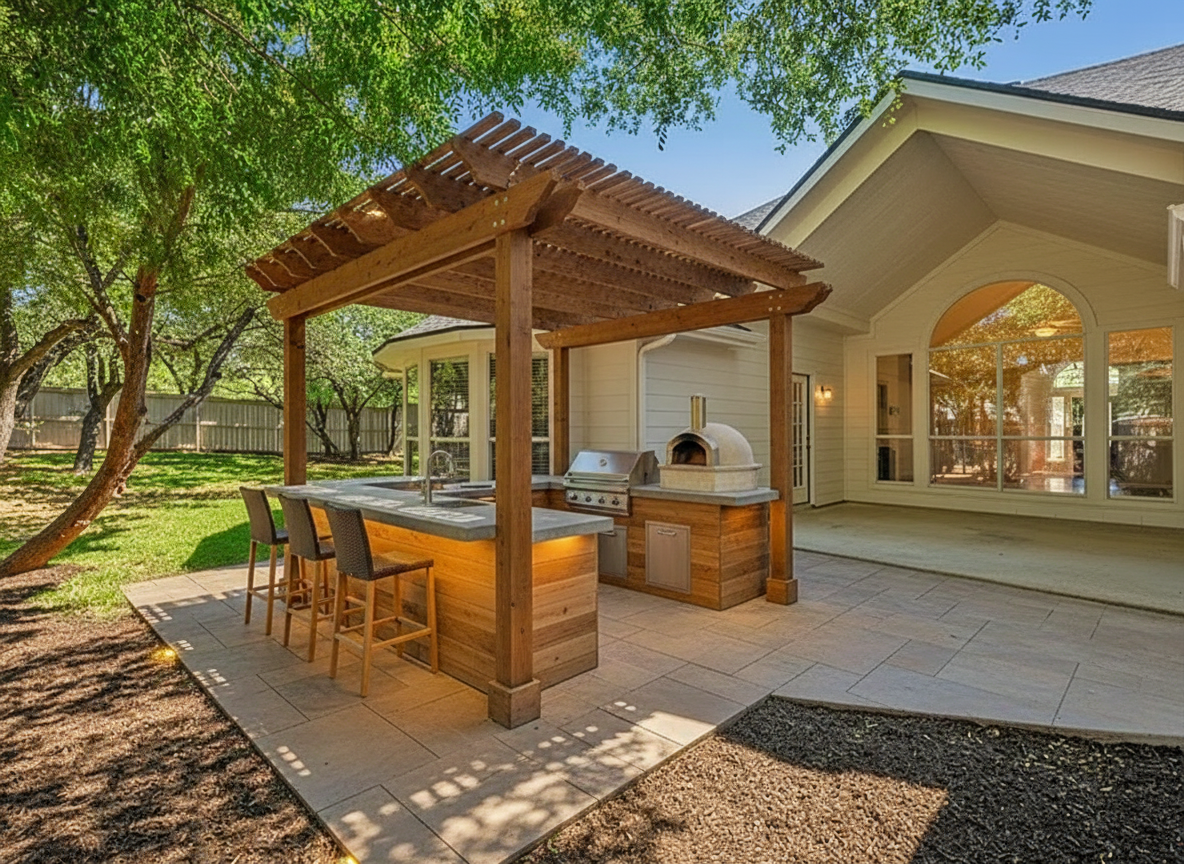
See this concept in the Renderspace gallery
Like any concept rendering, it is for visualization and presentation. It is not a construction drawing, a permit set or an engineered plan.
When is ChatGPT good enough?
Use the right tool for the stage you are in:
| Stage | ChatGPT or a general AI tool | A contractor rendering tool |
|---|---|---|
| Personal brainstorming | Good fit | Works too |
| Social media inspiration posts | Good fit | Good fit |
| Showing a client their own yard | Risky: the site can shift | Built for this |
| Changing one detail during the meeting | Edits can change the whole scene | Settings carry over |
| Proposal image | Around 1K output | 4K export |
I'd happily use ChatGPT to brainstorm landscaping styles, explore material combinations or write a rough design brief. It's an incredibly flexible tool for developing ideas. But when I'm presenting a contractor's proposal, I want a workflow specifically built around the client's property. That's where I'd use Renderspace, while still checking that the generated concept accurately represents the intended work.
What this looks like on a real job
Here's how I'd approach a side-by-side comparison on the next backyard project. Start with a photograph showing the existing patio, fence, back door and surrounding landscaping. Give both tools the same request: add a limestone patio, a cedar pergola and low ornamental hedges while preserving the original house.
I'd compare the results, but not just on which image looks prettier. I'd check whether the windows, roofline and property boundaries remain recognizable. Then I'd request a small revision: replace the limestone with dark slate pavers while keeping the other design elements.
That's where the comparison becomes useful. With Renderspace, I'd carry over the existing settings and use its custom prompt fields to specify the new material. I'd examine both outputs for unintended changes rather than assuming either tool got everything right.
For a paying client, those details matter. A rendering should help the homeowner evaluate a proposed improvement, not leave the contractor explaining why the house looks different.
For a broader comparison with studios and freelancers, see AI rendering vs traditional rendering services and the Fiverr alternative for contractors. If you are weighing software options, see AI landscape design software for contractors.
Frequently asked questions
Is ChatGPT free for making renderings?
ChatGPT has free and paid tiers, and image limits depend on the plan. The bigger question for a contractor is not the price but whether the image keeps the client's yard recognizable through several rounds of changes.
Can I edit just one thing in a ChatGPT rendering?
You can ask, but edits often regenerate more than you asked for, such as lighting or background. A purpose-built tool like Renderspace carries settings over so you can change one element at a time.
What does Renderspace cost to try?
The First Job Test is $19.99 for 40 credits over 7 days. If you continue, it upgrades to Professional at $99 a month for 500 credits. Every plan is on the Renderspace pricing page.
Close enough loses the bid. Their own yard wins it.
Think about the last time a homeowner leaned in. Not at the price. At the picture. That only happens when they recognize what they are looking at: their back door, their fence, their oak tree, with the new patio already there.
Now imagine doing that on the first visit. You snap a photo, and about 30 seconds later the client is looking at their own space finished. They ask for lighter pavers, you change that one thing, and everything else stays exactly where it was. By the end of the visit, your client is already choosing finishes.
That is why fast, photorealistic concepts help contractors win bids faster. Homeowners commit sooner when they can see their own space finished before the quote.
Try it on one real job. The First Job Test is $19.99 for 40 credits over 7 days, and it works from a phone photo. No designer to wait on.
Want the concepts made for you instead? Human Polish render packs do the work for your team.
Related reading
- AI Rendering vs. Traditional Rendering Services for Contractors
A contractor-focused comparison of AI self-serve, Human Polish production, and traditional rendering studios across the workflow dimensions that actually matter.
- Fiverr Rendering vs. AI-Assisted Concepts for Contractors
Freelance renders, self-serve AI concepts, and Human Polish each optimize for different moments. Here is how to choose without assuming one path replaces the others.
- AI Landscape Design Software for Contractors: What It Does Well—and What It Doesn't
AI landscape tools are fast at concepts from real photos. They are not site plans, engineered drawings, or permit packages. Here is how to evaluate the category without wasting an afternoon.