
Contractor AcademyLesson 1 of 6
Photographing a job site
On site · 1 min read
A useful concept starts with a photo that shows the property as it is. Take that photo before you open Studio.
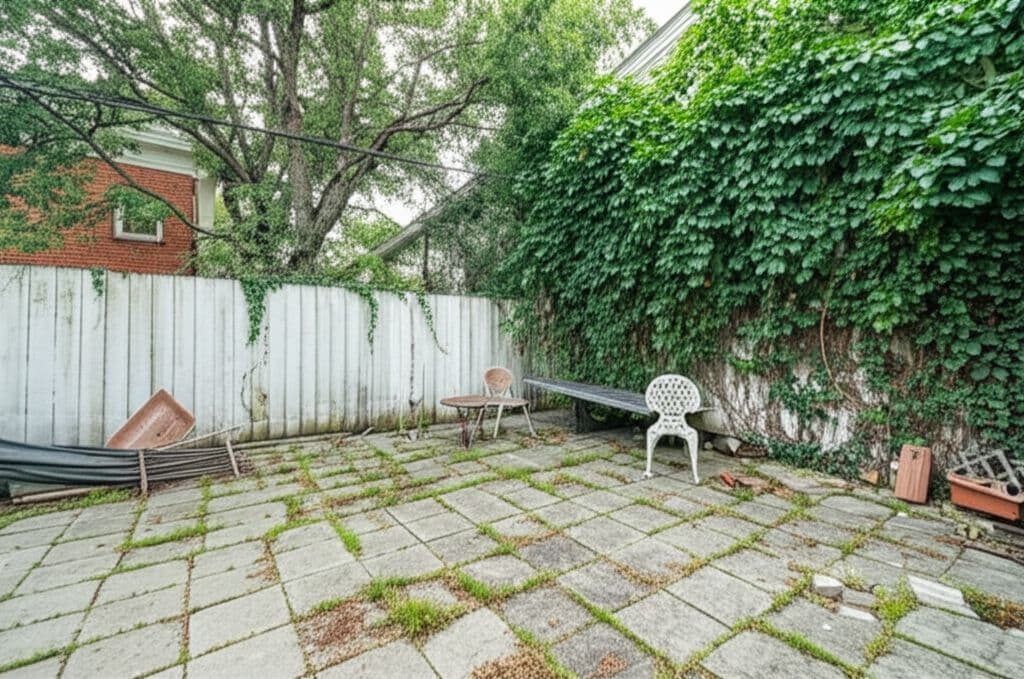
1. Stand where the homeowner will stand
Use eye level for a backyard, pool, or patio conversation. A high angle helps when you need to show the whole yard, and the Landscape control Camera angle includes both. Do not shoot only a detail of one plant or one corner.
2. Include the existing structure
Keep the house, fence, grade, and main walk in the frame. Those edges tell the concept where the new work has to stop. If a tree, utility, or neighbor's wall will stay, leave it in the photo.
3. Use even daylight
Shade across half the yard and bright sun on the other half makes materials harder to read. Overcast daylight or open shade is easier to work from than a sunset shot. Night photos are a poor starting point for a first concept.
4. Move temporary clutter
Hoses, bins, and vehicles in the middle of the frame become part of the picture. Move what will not remain. Leave permanent obstructions. A concept that erases a meter, a slope, or a required gate will not match the job.
5. Take two frames, then pick one
Take a wide frame and a closer frame from the same spot. Upload the one that shows enough of the property to discuss the project. Landscape Studio accepts a JPG, PNG, or WEBP under 10MB in Reference Image.