
AI Interior Rendering for Remodeling Contractors
How remodelers turn a photo of the client's existing kitchen, bath or living room into a photorealistic concept, where it fits in the sale, and what it can't do.
By KeSean Fallon
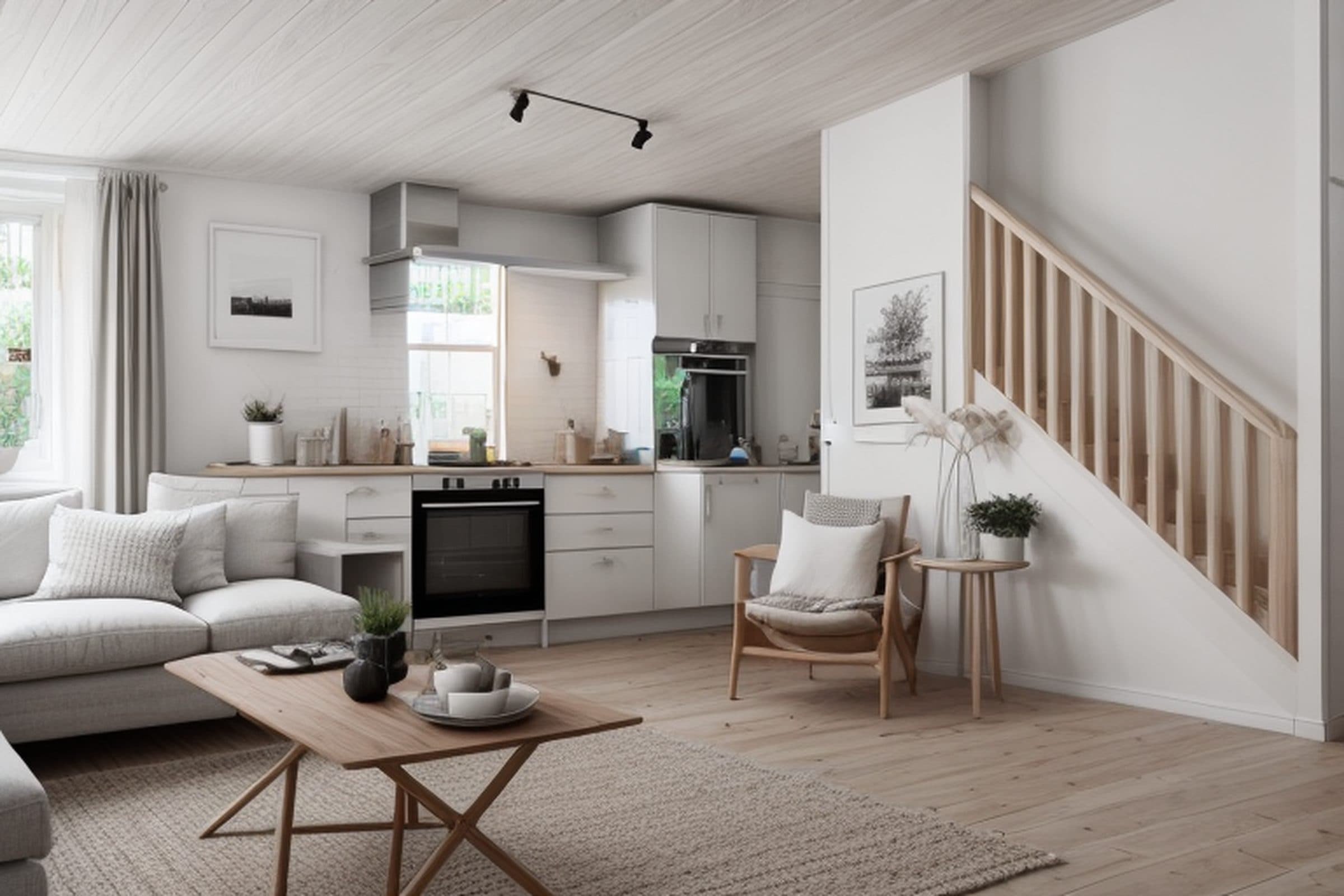
AI interior rendering lets a remodeling contractor take a photo of a client's existing room and turn it into a photorealistic concept of the finished remodel in about 30 seconds. It is a fast way to show a kitchen, bath or living space with new finishes before the quote, not a replacement for measured plans or construction drawings.
For remodelers, the hardest part of the sale is often the same: the client is standing in a room they have lived in for years, and they cannot see past it.
Imagine standing in a kitchen with honey-colored oak cabinets, outdated countertops and a backsplash the homeowner has wanted to replace for years. They know they want something modern, but what does modern actually mean in their space? White shaker cabinets? Natural walnut? Marble countertops or something warmer? A handful of showroom photographs won't answer that. The homeowner still has to mentally remove everything they're looking at and replace it with something they've never seen. That's a lot to ask when they're considering spending thousands of dollars on a renovation.
Why is it hard for clients to picture an interior remodel?
Because the old room is right in front of them. The dated cabinets, the dark tile, the soffit over the sink. Samples and catalog photos help a little, but a 4-inch tile chip on the counter does not show what a whole wall of it looks like in their light.
So clients hesitate. They ask for more samples, take the door chart home, and come back two weeks later still unsure. Every week of that is a week the job is not on your schedule and another remodeler might be in the house.
What does AI interior rendering do for a remodeling contractor?
It turns the room the client already knows into the room they are paying for.
You photograph the existing space from where the client usually sees it: the kitchen doorway, the bathroom entry. The AI generates a concept of that same room with new cabinets, counters, flooring, fixtures or paint, keeping the layout and the window in the same place. Because it is their room, they recognize it instantly. The same workflow works outside the house too; see exterior renovation visualization for contractors.
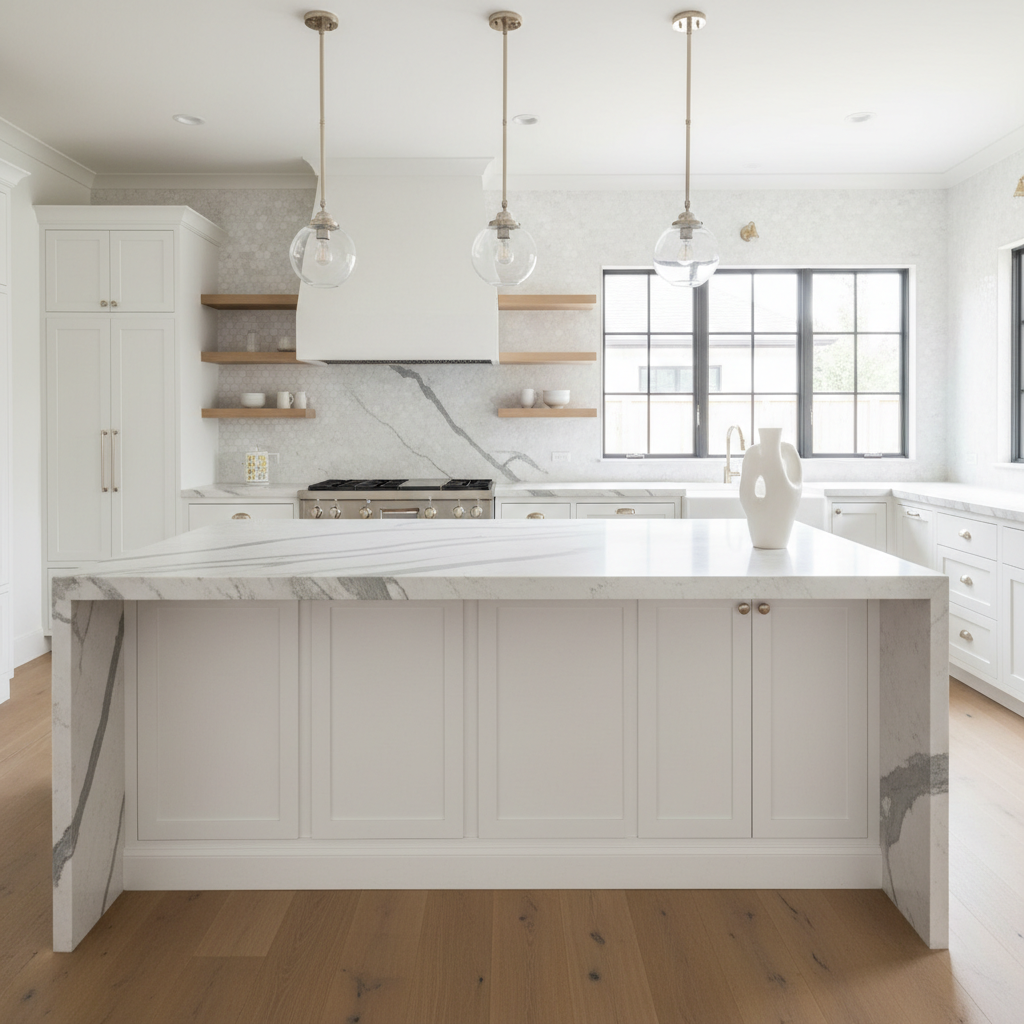
See this concept in the Renderspace gallery
More interior and exterior examples are in the Renderspace gallery.
Settings carry over between generations, so you can change one thing at a time. Same kitchen, white cabinets instead of wood. Same bath, a different tile. Each version takes about 30 seconds, so the client watches the options change instead of waiting a week for a revised drawing.
How is it different from 3D design software or a rendering service?
3D design software builds the room from measurements. It is precise and the right tool for final layouts and cabinet orders, but building a full model for every lead takes hours.
Rendering services can produce polished images. Turnaround is usually days, you pay per image, and changes go back into a queue. We compare the two approaches in AI rendering vs traditional rendering services and the Fiverr rendering alternative for contractors.
AI rendering from a photo is built for the sales stage: quick, visual, and done on the visit. It shows the idea. It does not produce dimensions, cabinet lists or construction documents.
Many remodelers use both: a quick concept to win the job, then detailed design once the client commits.
I think the biggest mistake remodelers make is expecting clients to visualize an entire renovation from disconnected samples. A cabinet door here, a countertop sample there, and a showroom photograph from someone else's house. Why make them assemble the picture mentally? With Renderspace, you can describe exactly what they're considering, whether that's walnut cabinetry, Calacatta marble, brushed brass fixtures or herringbone flooring. Show those choices together in their actual room. Let them react to the complete concept before asking for a commitment.
How do you take a good photo for an interior rendering?
- Stand where the client stands. The view they see every morning is the view that sells.
- Use daylight and turn on the room lights. Even light gives the cleanest result.
- Hold the phone level and include the full area being remodeled, floor to ceiling if you can.
- Clear the clutter on counters and floors when it is easy to do. It helps the concept read clearly.
Then generate two or three versions, not twenty. One that matches what the client described, one that is a little bolder, and one alternative finish.
What can't an AI interior rendering do?
It cannot measure the room, confirm that a wall can come out, or tell you whether the plumbing can move. It is not an engineered plan, a permit set or a construction drawing, and finishes in the image are a close visual, not an exact product match.
Label every concept as a visualization in your proposal. Clients appreciate the honesty, and it keeps the picture from becoming a promise you did not make.
What this looks like on a real job
Consider a typical kitchen renovation where the existing layout works reasonably well, but the finishes are decades out of date. Oak cabinets line the walls, dark granite covers the counters, and the floor has beige ceramic tile. The homeowner wants something brighter but hasn't settled on a particular style.
A remodeler could photograph the kitchen from the doorway and upload it to Renderspace. For the first concept, they might request warm white shaker cabinets, Calacatta marble countertops, a full-height backsplash and brushed brass hardware.
But suppose the homeowner isn't convinced about the white cabinets. Rather than starting an entirely new design process, the contractor can adjust the prompt to explore natural walnut cabinetry, darker countertops or matte black fixtures. They could even specify under-cabinet lighting, floating shelves or a particular flooring material.
The important distinction is that these are visual options, not finalized specifications. The contractor still needs to verify dimensions, materials and feasibility. But now the client has something tangible to evaluate before committing to a detailed design.
Frequently asked questions
Can I make an interior rendering from a phone photo?
Yes. Renderspace works from a phone photo of the existing room and returns a photorealistic concept in about 30 seconds, typically 20 to 40, with 4K export.
Is an AI rendering accurate enough to order cabinets from?
No. Use it to help the client choose a direction. Cabinet orders, layouts and dimensions come from your measurements and design work.
Can I use the renderings in my proposals and marketing?
On every paid Renderspace plan you can use the renders in proposals, on your website, on social and in ads. Reselling the images is not allowed.
I included interiors in Renderspace because the challenge of communicating a design isn't limited to landscaping or outdoor construction. Remodeling contractors face the same problem every day. I wanted them to have a tool that respects their expertise while giving them the freedom to visualize specific finishes, materials and design ideas without waiting days for every revision.
Show them the kitchen they are about to fall for
Picture the next consultation. You are standing in the client's kitchen. Oak cabinets from another decade, a laminate counter with a burn mark near the stove, one weak light over the sink. They are telling you what they want, and you can see they have been thinking about it for years without being able to see it.
You take one photo from the doorway. About 30 seconds later you hand them your phone. Same kitchen. Same window, same view of the backyard. Now with painted shaker cabinets, a quartz counter and pendant lights over the island.
They stop talking about samples. They start talking about when you can start.
That is the difference between a remodeler who describes the job and one who shows it. Fast photorealistic concepts help contractors win bids faster, because clients commit sooner when they see their own space finished before the quote.
Try it on one real job. The First Job Test is $19.99 for 40 credits over 7 days, and it works from a phone photo you take on the visit.
If you would rather have a set of concepts made for you, Human Polish handles that.
Related reading
- Exterior Renovation Visualization: Show Clients the Concept Before Construction
Exterior renovations are hard to sell from swatches alone — photo-based concepts can help clients understand and react to the proposed direction on their own house.
- AI Rendering vs. Traditional Rendering Services for Contractors
A contractor-focused comparison of AI self-serve, Human Polish production, and traditional rendering studios across the workflow dimensions that actually matter.
- Fiverr Rendering vs. AI-Assisted Concepts for Contractors
Freelance renders, self-serve AI concepts, and Human Polish each optimize for different moments. Here is how to choose without assuming one path replaces the others.